.png)
A product kickoff meeting produces twenty sticky notes, three Slack threads, and a shared doc nobody reads twice. The ideas are there. The structure isn't.
This is what most workplace brainstorming actually looks like. Not a shortage of input. A shortage of shape. Someone says something smart in minute twelve, someone else builds on it in minute thirty-eight, and by the time the meeting ends, the connection between those two ideas lives only in the heads of the people who happened to be paying attention at both moments.
Mind maps are supposed to solve this. And they can. But the traditional version of the workflow has a problem. Opening a blank canvas and manually dragging ideas into branches takes time nobody has after a two-hour planning session. The meeting energy is gone. The whiteboard gets photographed and forgotten.
What's changed recently is that AI can do the structural work. Feed it a meeting recording, a strategy document, or a pile of research, and it builds the map for you. Not a perfect map. But a starting point with real hierarchy, real connections, and enough accuracy that editing it takes ten minutes instead of building one from scratch taking an hour.
This guide covers three workplace scenarios where that workflow makes a measurable difference, and where it falls short.
🧭 When Mind Maps Work at Work (and When They Don't)
Before getting into specific workflows, a quick framing. Mind maps are strong at one particular thing: making the structure of complex information visible. That's it. They don't replace a Gantt chart for timeline tracking. They don't replace a spreadsheet for resource allocation. They don't replace a Kanban board for task management.
What they do is give you a thinking layer that sits before those tools. The moment after a brainstorm when someone asks "okay, so what did we actually decide?" — that's a mind map moment. The point where a project has twelve moving parts and nobody can hold the full picture in their head — mind map moment. The stage where you've read five competitor analyses and need to synthesize them into something coherent — also a mind map moment.
The pattern is always the same: messy input, need for structure, no time to build it manually.
Where mind maps don't help is when the information is already structured. If your project plan is neatly laid out in a tracker with owners, dates, and dependencies — you don't need a mind map. You need to execute the plan. Using the right tool at the right stage matters more than using any single tool everywhere.
Instantly turn your content into mind maps with AI
Get Started Now💡 Scenario 1: Post-Brainstorm Cleanup — Meeting Recording to Structured Map
The workplace problem: A 45-minute brainstorm session just ended. The energy was good. People talked over each other, riffed on ideas, circled back to earlier points. There's a recording and maybe someone's scattered notes. But turning that raw conversation into an organized action plan? That's where it stalls. Nobody wants to rewatch the recording. The notes miss half of what was said.
How to do it with AI:
- Grab the recording. Zoom file, Google Meet export, or YouTube link.
- Feed it into an AI mind map tool. It pulls the transcript and maps the conversation into branches by topic.
- Check the top-level structure. A good result groups by theme, not timeline. If pricing came up at minute 5 and again at minute 32, both should land on the same branch.
- Edit. Rename branches to match your team's vocabulary. Delete tangents. Promote buried ideas. Add an "Action Items" branch manually if the AI missed it.
- Share the map instead of meeting minutes. Thirty seconds to scan beats five minutes to read.
Honest caveat: Meeting recordings are noisy. Jokes, off-topic detours, someone explaining a concept everyone already understood — the AI gives all of it roughly equal weight. Expect to delete 20-30% of the generated branches. The editing pass isn't optional here; it's the core of the workflow.
How this differs from a whiteboard tool: In Miro or Mural, someone needs to manually organize the brainstorm output onto a canvas — dragging sticky notes, grouping them, drawing connections. That takes 30-60 minutes after the meeting. The AI approach flips it: structure is generated automatically, and you spend time refining rather than building from zero. The tradeoff is the AI won't capture spatial relationships a human facilitator might create in real-time. For a facilitated live workshop, Miro is still the better tool. For the far more common scenario — a recorded meeting that needs to become something useful after the fact — AI-generated structure wins on speed.
The tool I've been using for these workflows, and the one the remaining examples reference directly, is Mapify. It handles the full pipeline from raw input to editable mind map, and the structural depth on long-form content is what sets it apart from the lighter AI summarizers. That said, the general approach works with any tool that generates real hierarchy from source material.
📄 Scenario 2: Project Overview — From Documents to Visual Map
The workplace problem: A new project lands on your desk. There's a PRD, a strategy brief, maybe a project charter. Each document is 8-15 pages. Together they describe the full scope: goals, deliverables, timelines, stakeholders, risks. But no single view shows how everything fits together. You end up re-reading the same documents every time someone asks "what's the status of the design workstream?" because the information is there but not navigable.
How to do it with AI:
- Collect the key documents. PRD, project brief, kickoff deck, stakeholder list. PDF and DOCX both work.
- Upload the primary document to Mapify. Start with whichever doc has the most structure, usually the PRD or project charter.
- Scan the generated map. It breaks the document into branches: objectives, scope, requirements, timeline, risks.
- Add what the document left out. This is the valuable part. Documents describe what's planned but rarely show connections: which deliverables depend on which decisions, where objectives might conflict. Draw those lines manually.
- For multi-document projects, consolidate. Upload each doc as a separate map, then pull the most important branches into a single master view.
Worth knowing: AI is good at extracting what a document says. It's not great at extracting what a document means for your specific team context. A PRD might list "user authentication" as a requirement. The map will faithfully include it as a branch. But it won't know that authentication is the part your team is worried about because the backend architect just quit. That kind of contextual priority is yours to add.
How this differs from a whiteboard tool: You could build a project overview in Miro. People do it all the time. The difference is starting point. In Miro, you start blank and manually extract information from documents. With an AI mind map, you start with a structured draft pulled directly from the source material. For a 12-page PRD, that saves roughly an hour. The AI draft won't be perfectly organized for your needs, but reorganizing an existing map is faster than building one from nothing.
🔍 Scenario 3: Competitive Research — Multiple Sources into One Map
The workplace problem: You're doing competitive research. There are six competitor websites open in tabs, two analyst PDFs downloaded, and maybe a few product review articles bookmarked. Each source gives you a different slice of the picture. But synthesizing them (finding the patterns, the gaps, the positioning differences) means holding all of it in your head simultaneously. Which nobody can actually do with six tabs and two PDFs.
How to do it:
- Pick your competitors. Three to five is the sweet spot.
- Upload the best source for each. Product page, review article, analyst report, or their own blog post.
- Generate a separate mind map per competitor. Each map extracts the key points: features, positioning, pricing, target audience.
- Build the synthesis map. Create a new map with your market category as the central node. Add branches for the dimensions that matter: feature comparison, pricing, audience, go-to-market.
- Pull key points from each competitor map into the synthesis. Manual but fast: you're moving pre-extracted information, not re-reading source docs.
The result is a single visual map that shows your competitive landscape organized by dimension rather than by competitor. That view, features across all competitors on one branch, pricing models on another, surfaces patterns that per-competitor analysis hides.
A note on limits: The AI extracts what's on the page. It doesn't know what a competitor isn't saying. Gaps in a competitor's messaging (the features they don't mention, the use cases they avoid) are often the most interesting competitive intelligence. The map won't flag those for you. You have to read between the branches yourself.
How this differs from a whiteboard tool: Tools like Whimsical and Miro are built for manual competitive matrices: they have templates, comparison tables, and collaborative features. If your team does competitive analysis together in a live session, those tools work well. The AI mind map approach is better for solo analysis where you're processing a lot of source material quickly. You can go from six open tabs to a structured competitive overview in under thirty minutes, which would take two to three hours of manual whiteboard work. The tradeoff: less visual polish, more raw analytical utility.
⚖️ AI Mind Map Tools vs. Traditional Whiteboard Tools
This isn't a full tool comparison, just a framing of when to reach for which.
| AI Mind Map (e.g. Mapify) | Whiteboard Tool (e.g. Miro, Whimsical, Mural) | |
|---|---|---|
| Best for | Structuring existing material: recordings, documents, research | Real-time collaborative ideation with a team in the room |
| Starting point | AI generates structure from your input | You start with a blank canvas |
| Speed to first draft | Minutes (AI does the heavy lifting) | Depends on facilitator skill and team size |
| Collaboration | Share and review; not built for live co-editing | Excellent real-time co-editing |
| Depth of structure | Strong: 3-4 levels of hierarchy generated automatically | As deep as you build it manually |
| Visual flexibility | Focused on mind map format | Freeform: sticky notes, flowcharts, wireframes, anything |
| Where it falls short | Live workshops, spatial layouts, freeform visual thinking | Processing large volumes of existing content quickly |
The honest answer is that these are different tools for different moments. A team brainstorm might start in Miro: sticky notes flying, energy high, ideas everywhere. Then the recording gets fed into an AI mind map tool for post-session structuring. The Miro board captures the creative chaos. The mind map captures the usable structure.
Trying to use one tool for both is where things get frustrating. Miro with no content feels productive in the moment but often produces a board nobody revisits. An AI mind map with no human editing feels efficient but misses the nuances that only team context provides. Use both. At different stages.
❓ Frequently Asked Questions
Can I use a mind map as an actual project plan?
A mind map is a thinking tool, not a project management tool. It's excellent for the planning stage: scoping work, identifying components, spotting dependencies. But once you move into execution, you need dates, owners, status tracking, and task-level granularity. Use the mind map to build the plan, then transfer the structure into whatever tracker your team uses: Asana, Jira, Linear, Notion. The map stays useful as a high-level reference, but it shouldn't replace your PM tool.
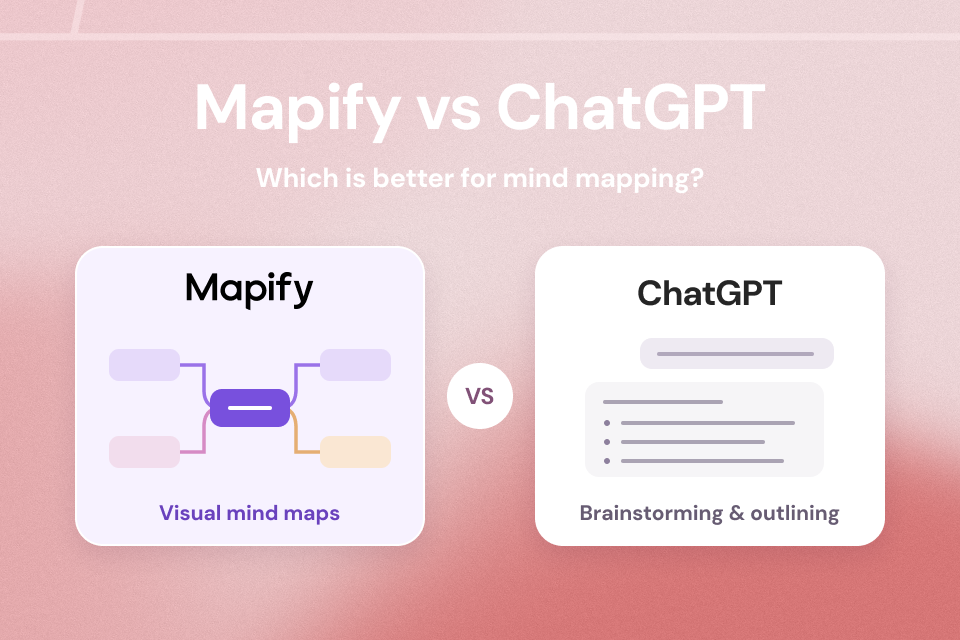
How does AI brainstorming differ from using ChatGPT to organize my notes?
ChatGPT gives you text: a summary, a list, a cleaned-up version of your input. An AI mind map gives you structure: visual hierarchy showing which ideas are central, which are supporting, and how they connect. For project planning, that structural view matters more than a text summary, because you need to see the whole picture at once. Text is sequential; maps are spatial.
What file types work for generating mind maps from work documents?
Most AI mind map tools (Mapify included) accept PDFs, Word documents, PowerPoint files, web URLs, and audio/video recordings. The best results come from text-rich documents with clear structure (headings, sections, bullet points).
Is this useful for remote teams?
Particularly useful. Remote teams generate more asynchronous artifacts: recorded meetings, written briefs, Slack discussions, than co-located teams. All of that feeds into AI-generated mind maps. The workflow of "record → generate map → share for review" replaces someone standing at a whiteboard summarizing what everyone said. And the async version is better documented — the map persists and can be referenced weeks later.
Does the AI capture everything from a meeting or document?
No, and that's partly the point. The AI extracts the structural bones: main topics, key points, supporting details. It will miss nuance, implied priorities, inside references, and political context. Think of it as capturing 70-80% of the content with good structural accuracy. Your editing pass adds the remaining 20-30% that requires human judgment. That split — AI for extraction, human for context — is the workflow that actually works.
🎯 Start With the Meeting That's Already Recorded
There's probably a meeting recording from this week sitting in a shared drive. Try turning it into a mind map (takes about two minutes), then spend five minutes editing it into something your team would actually use. Share it instead of meeting minutes and see what happens. Try it in Mapify and start with whatever's already in your inbox.
Instantly turn your content into mind maps with AI
Get Started Now