
Many webpages today are written to cover everything, not to help readers understand what actually matters. When your goal is simply to grasp the core message, scrolling through long paragraphs, sidebars, and repeated explanations quickly becomes inefficient.
A web page summarizer helps shift that experience. Instead of reading line by line, you start with a clear overview that highlights the main ideas and removes distractions. This makes it easier to decide whether a page is worth deeper reading—or whether a quick understanding is enough.
For students, this means getting through dense material without losing momentum. For professionals, it means gaining clarity before acting, sharing, or moving on to the next task. In both cases, summarization becomes less about shortening content and more about making reading intentional.
In this post, you can learn the step-by-step guide to summarize web page content with AI.
What is a Web Page Summarizer?
A web page summarizer is a tool that summarizes lengthy web-based information, including articles, reports, or blog posts, and then shows the summary with only the essential information. It also eliminates advertisements, sidebars, and filler text, providing a single, concise summary that is easier to read.
How It Works
Review the workflow below to see how the website summarizer works efficiently:
- You provide a URL or pasted text, and the tool extracts the readable content.
- It removes ads, menus, and layout clutter to isolate the actual written material.
- AI or NLP models identify key sentences, remove repetition, and produce a concise summary.
Now, let’s have a look at the primary types of web page summarizers to develop a deeper understanding:
- Online Tools: They let you paste a URL or text directly into the browser. These tools create fast summaries without requiring installations or any sign-in process.
- Browser Extensions: Extensions allow you to generate summaries with one click on any webpage. They display results in a sidebar or pop-up while keeping you on the same site.
- AI Apps: AI apps include summarization as one feature among many productivity tools. They offer flexible outputs like bullet points, outlines, or study-oriented flashcards.
How to Summarize Any Web Page Free
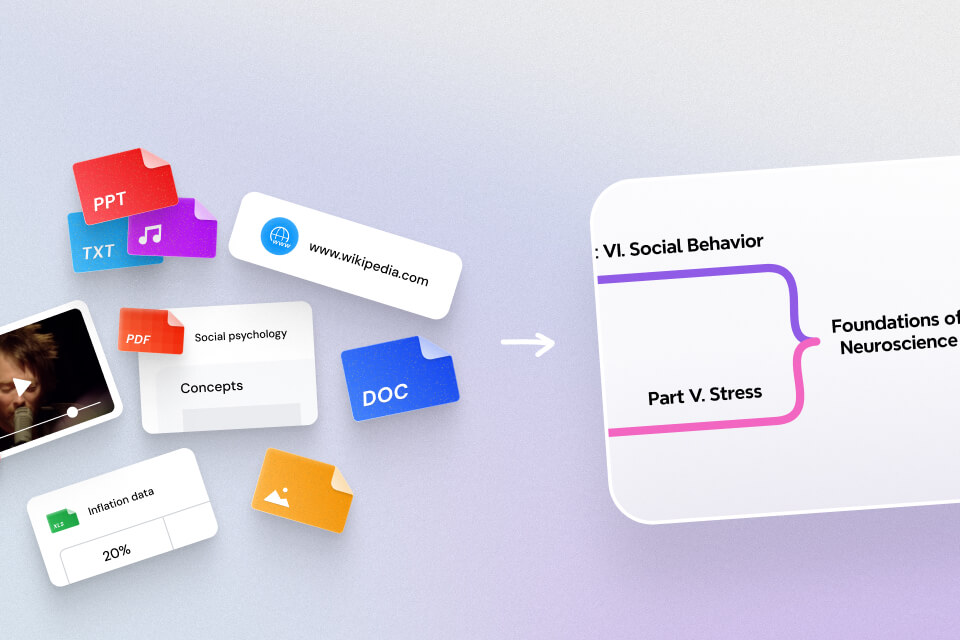
When a webpage feels too long to read comfortably, Mapify turns it into something far easier to digest. It can summarize web page content into a clean mind map that highlights the major ideas without the noise. You can either paste the URL into the Mapify Web Page Summarizer or use the extension to create a mind map directly from the page you’re viewing.
Once the map appears, you can shape it the way you prefer, moving branches, adjusting colors, or adding helpful visuals to make ideas stand out. Mapify also gives you space to explore topics further through quick prompts inside the map, making it easier to understand sections that need more clarity.
Instantly turn your content into mind maps with AI
Get Started NowMethod 1: Use Mapify Web Page Summarizer
This method works perfectly when you already have the webpage link ready. Simply paste the URL into Mapify, and the tool will fetch the content instantly. Sign up for a free account or log in before starting with the following steps.
Step 1. Paste the web page URL to Mapify
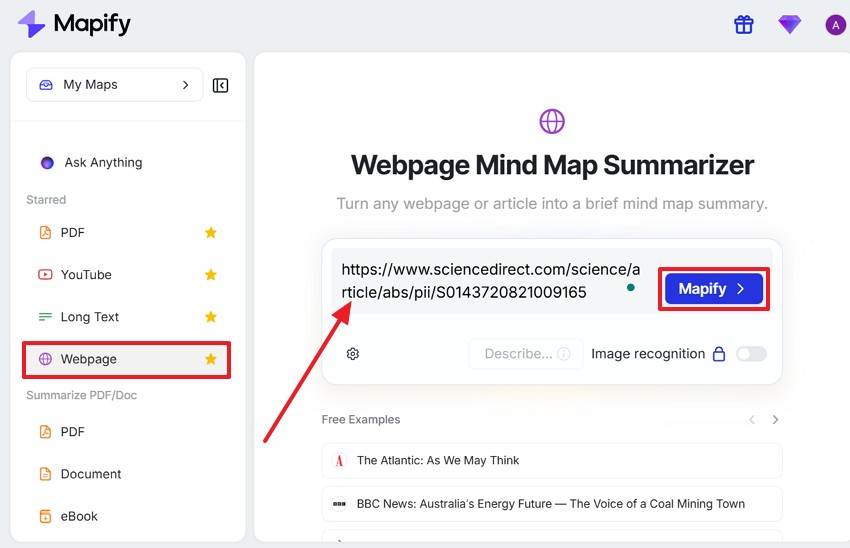
Copy and paste your page link into Mapify Web Page Summarizer, and click on the Mapify Now button to continue. Also, you can select the “Webpage” option from Mapify's app left panel and paste your link into the box.
Step 2. Refine your mind map and export
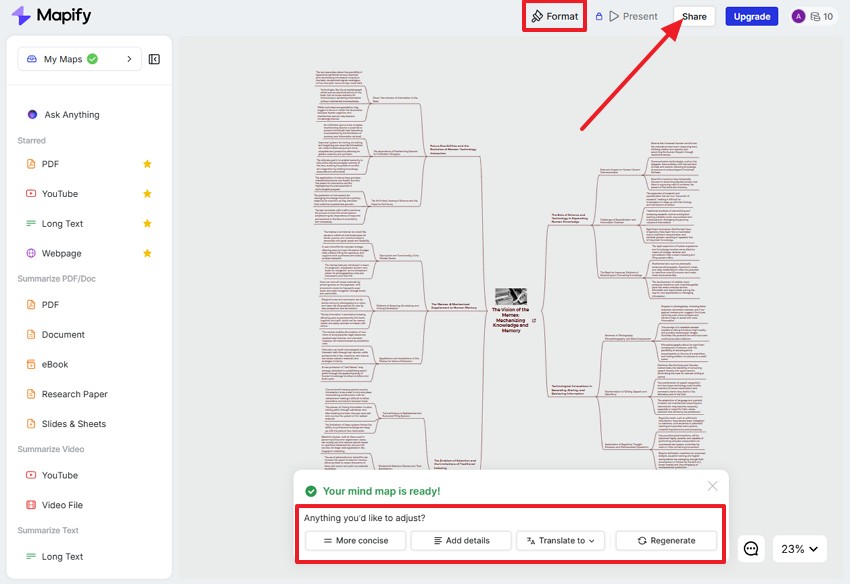
The web page content will be summarized into a mind map automatically. Refine it with format, language, conciseness, and more. You can chat with AI to specify your needs. After that, click on the Share button to share via link or export as PDF, Xmind, images, etc.
Instantly turn your content into mind maps with AI
Get Started NowMethod 2: Summarize with Mapify Extension
The Mapify extension is another way to quickly summarize webpages without switching tabs. After the extension is installed, simply summarize the page in your browser, making it the best option for quick research, reading an article, or taking systematic notes. Follow the steps below to implement this technique without any trouble in summarizing a web article.
Step 1. Install the Mapify extension
First, visit the official Mapify extension page and select “Add to Chrome” to install the extension. Make sure the extension appears in your browser toolbar before moving on.
Step 2. Highlight the text for summarizing
Annotate the text you want summarized, then right-click and select “Mapify – Summarize selected text” from the menu.
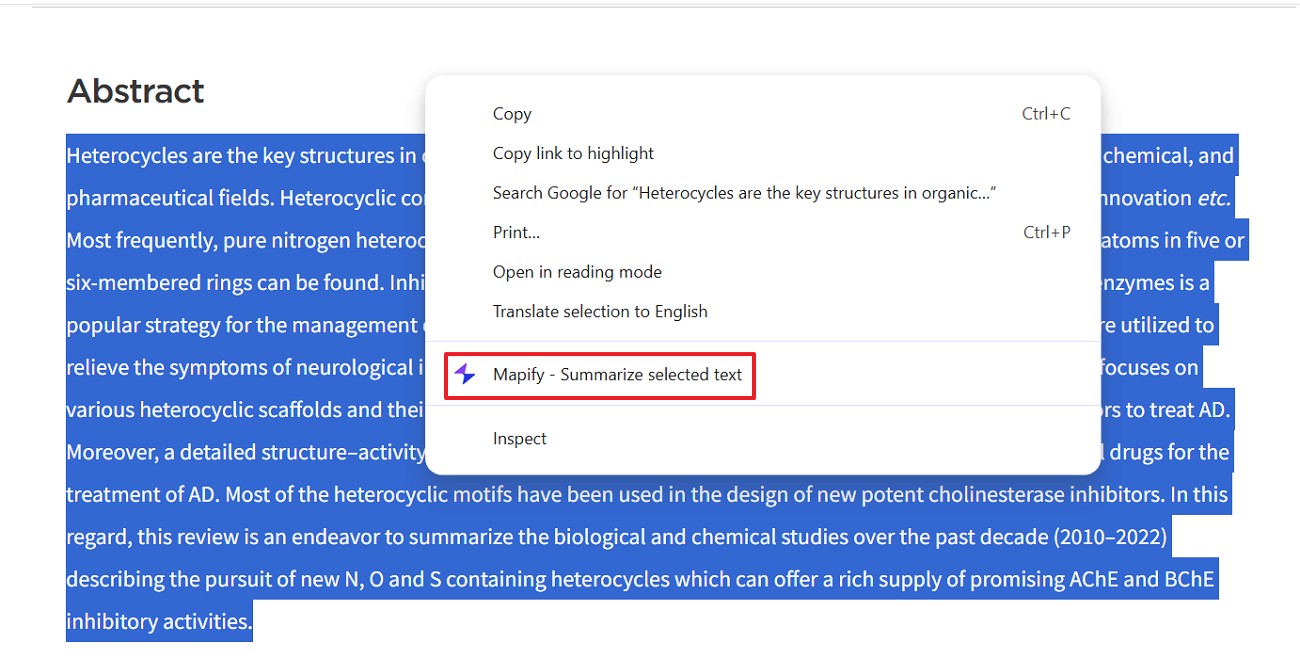
Step 3. View the generated mind map summary
After that, Mapify instantly processes your selection and opens a mind map window to show the structured summary of the highlighted content. You can also open it in a new tab.
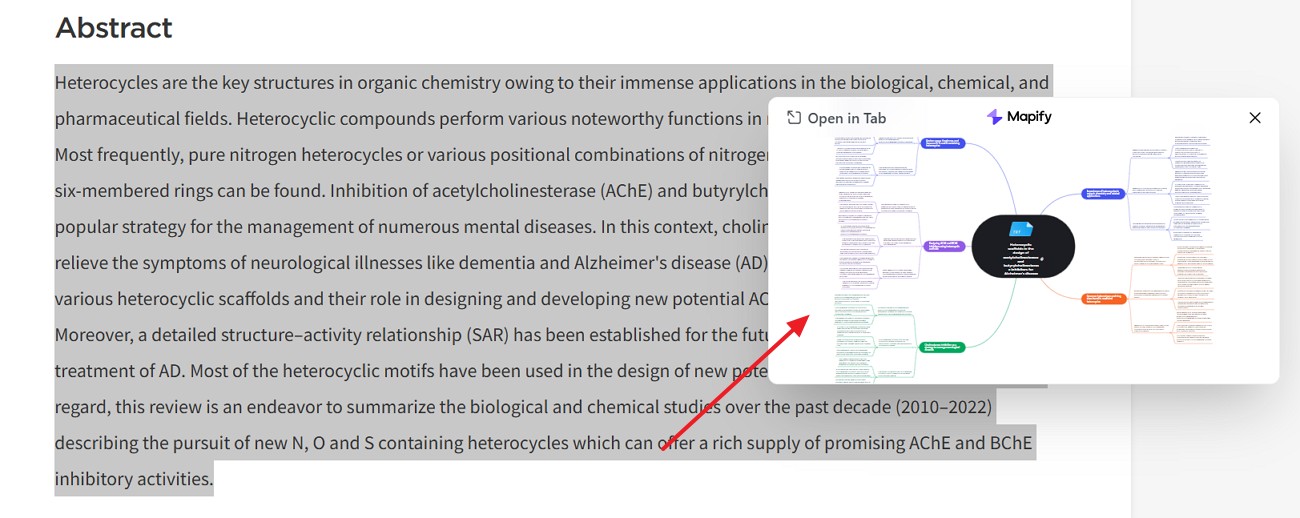
Instantly turn your content into mind maps with AI
Get Started NowTips for Better Web Page Summaries
A few small adjustments can make your summaries far more accurate and useful:
- Use clean links: Whenever possible, paste the main article URL. Avoid links with long tracking strings or temporary session IDs, which can interfere with content extraction.
- Reduce on-page clutter: Closing pop-ups or switching to reader mode helps the summarizer focus on the article itself rather than ads or side sections.
- Choose the right tool for the task: Browser extensions are ideal for quick overviews, while full-page summarizers work better for deeper reading or research.
- Focus on the main content: Make sure the summary targets the article body, not navigation menus or comment sections. Headings often provide a useful guide.
- Know what you need: Decide whether you want a quick overview or a more detailed study summary. Setting that intention first helps the summarizer deliver more relevant results.
Final Thoughts
Managing long webpages is no longer just a reading challenge—it’s an information filtering challenge. A reliable web page summarizer helps reduce noise, surface key ideas, and make complex pages easier to work with. When used well, summarization supports faster understanding without sacrificing context.
What makes Mapify different is that it doesn’t stop at shortening content. Turning webpages into visual mind maps, it helps readers see how ideas connect rather than treating them as isolated points. This structure makes it easier to follow arguments, revisit key sections, and remember what you’ve read.
Whether you’re reviewing articles, studying complex topics, or organizing research, having a clear visual overview can change how you approach online reading. Sometimes, understanding comes not from reading more—but from seeing information arranged in a way that finally makes sense.
Instantly turn your content into mind maps with AI
Get Started Now.png)



.png)