

.png)
One of the most frustrating parts of using ChatGPT is what happens after a good answer. You get useful ideas, explanations, or plans, but turning them into a visual mind map often means extra work outside the conversation.
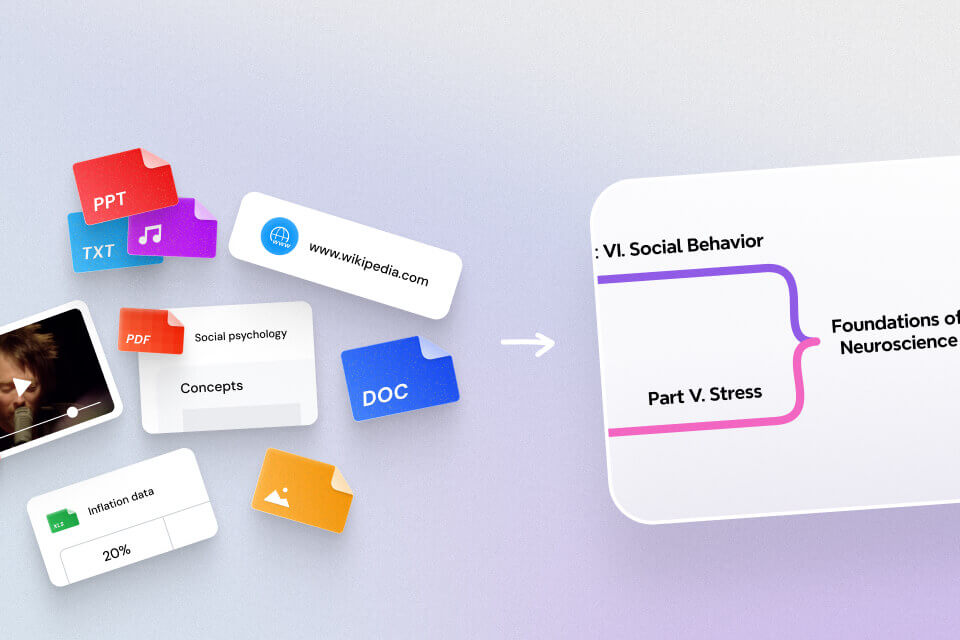
Mapify is now available in ChatGPT, so you can create mind maps from your conversations without leaving the chat. No extra tab, no copying and pasting, and no need to rebuild the structure somewhere else.
If you use ChatGPT for learning, research, brainstorming, or planning, Mapify helps you go one step further, from getting an answer to seeing the structure behind it.
What Is Mapify on ChatGPT Apps?
Mapify adds a visual thinking layer to your ChatGPT workflow.
Instead of leaving AI output as text you need to reread, you can turn it into a structured visual map. That makes it easier to grasp the main ideas, see how they connect, and come back to them later.
Before this, using ChatGPT for deeper thinking often meant stopping halfway through your workflow. You might ask a complex question, get a long answer, move that content into another tool, and then reorganize it into a format you could actually use.
With Mapify in ChatGPT, much of that friction disappears. You can call Mapify directly inside ChatGPT and turn the current conversation into a mind map in the same flow.
That makes ChatGPT feel less like a place where ideas pile up, and more like a space where they can be organized and understood.
What Makes Mapify Valuable in ChatGPT
1. Create mind maps without leaving ChatGPT
One of the biggest advantages of Mapify in ChatGPT is that you do not need to leave ChatGPT to use it.
That means no switching tabs, no opening a separate website, and no moving content from one tool into another just to organize the output.
You can simply choose Mapify in ChatGPT Apps and ask for what you need, whether that is "Create a mind map about this topic," "Turn this response into a mind map," or "Summarize this conversation as a structured visual map."
This matters because the problem is not just time. It is lost momentum. Mapify lets you stay in the same environment and move naturally from question to answer to structure.
2. Turn long conversations into structured visual summaries
It is especially useful when a conversation gets long, layered, or full of branching ideas. Instead of scrolling back through a wall of text, you get a structured visual summary that is easier to scan and revisit.
Many AI conversations do not become less useful because the content is weak. They become harder to use because valuable points get buried in the format. Mapify helps organize those ideas into branches, subtopics, and connected points that are much easier to scan.
This is especially useful when you want to:
- review the core logic of a conversation
- see how different ideas connect
- extract action items from a planning discussion
- understand the structure of a complex explanation
- keep a reusable visual summary of what ChatGPT helped you produce
In other words, Mapify does not just shorten the output. It gives it structure.
That is the difference. A plain summary may reduce the text, but a mind map helps you see the relationships between ideas. That is what makes the output easier to remember and more useful later.
3. Turn ChatGPT from a chat tool into a thinking tool
Chat is linear. Real thinking usually is not.
When people use ChatGPT for serious work, they compare options, test assumptions, refine directions, and revisit earlier ideas while forming new ones. That is not just chatting. It is active thinking.
Mapify supports that kind of workflow by helping users visualize:
- reasoning paths
- planning branches
- key themes
- decision points
- knowledge structure
This makes ChatGPT more useful not only as a generator of answers, but as a tool for working through complexity.
✅ For students, that means turning explanations into something reviewable.
✅ For researchers, that means turning exploratory discussions into visible knowledge structure.
✅ For professionals, that means turning brainstorming and planning into something that can be organized, refined, and shared more easily.
That is where Mapify adds real value. It helps turn ChatGPT from a chat tool into a thinking tool.
How to Use Mapify Inside ChatGPT
Step 1: Add or enable Mapify in ChatGPT Apps
First, open ChatGPT and click Apps in the left sidebar. Search for Mapify, then click Connect so it becomes available in your ChatGPT workspace.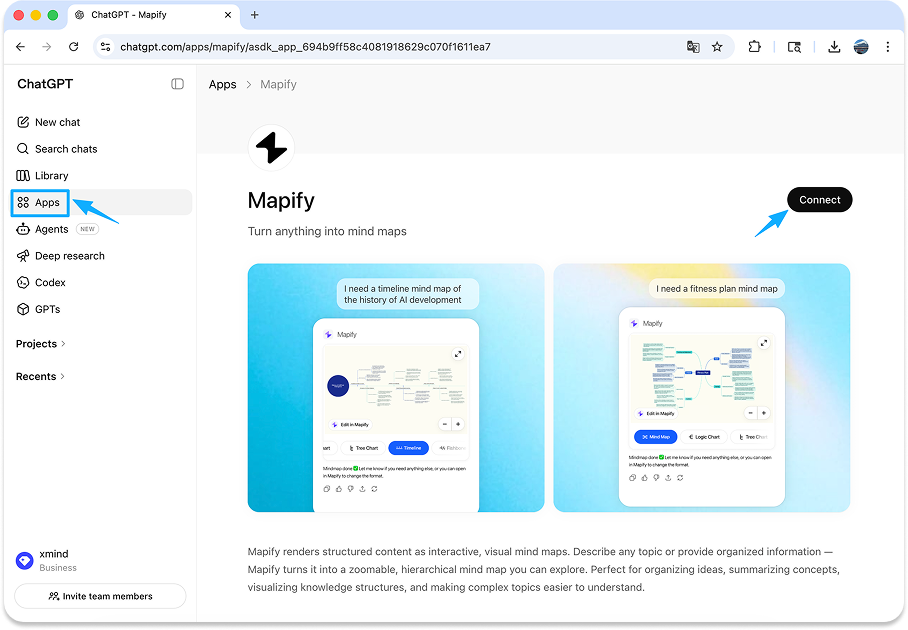
Step 2: Open your conversation and ask for a mind map
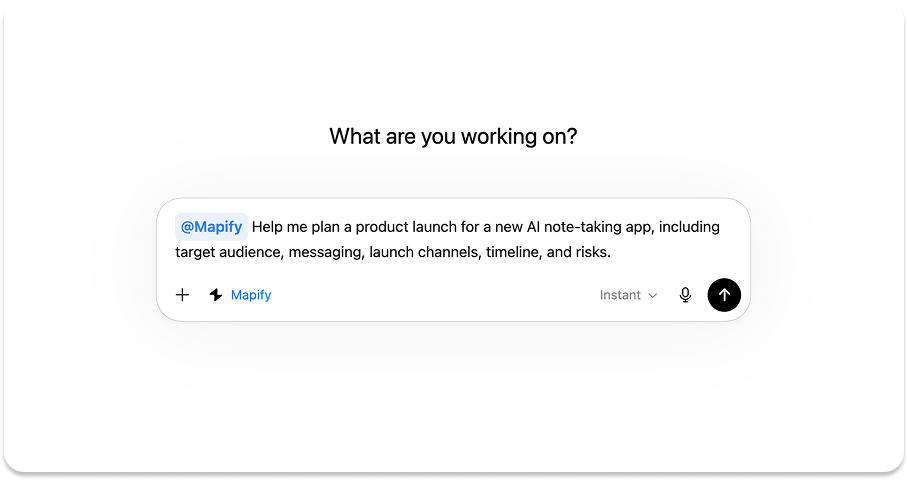
Open the conversation you want to work with, type @Mapify in the input box, and ask for a mind map directly.
Example prompts include "Create a mind map about the causes of climate change," "Turn this product planning discussion into a mind map," and "Summarize this research conversation into a visual structure."
The key point is that you do not need to build the map manually. You describe the goal, and Mapify turns the conversation into a structured visual format.
Step 3: Review and refine the generated map
After the map appears, you can quickly scan the major branches, spot the key themes, and understand the shape of the conversation much faster than rereading the full thread.
The generated mind map is not a fixed output. You can open it in Mapify and continue refining it based on your needs.
That means you can:
- adjust the content
- edit the text
- reorganize branches
- refine what should be emphasized
- customize text formatting
- further adjust the mind map style
This matters because a good thinking tool should not feel rigid. Automatic structure gives you a strong starting point, and editing lets you shape the result for your own workflow.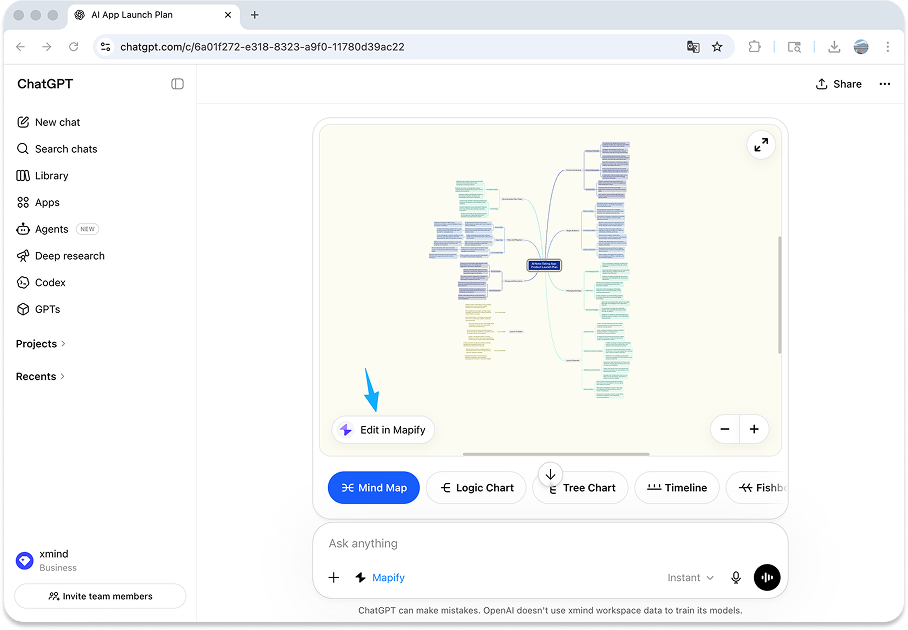
Real Use Cases for Students, Researchers, and Professionals
Students: Turn long explanations into study maps
A student might ask ChatGPT to explain a difficult theory, summarize a chapter, or compare several concepts before an exam. With Mapify, that explanation can become a mind map inside ChatGPT, making it much easier to review and remember.
Researchers: Organize complex discussions into knowledge structure
Researchers often use ChatGPT to explore a topic, test angles, compare interpretations, or clarify how ideas connect. Mapify helps turn that back-and-forth into a visual structure that is easier to review, synthesize, and build on.
Professionals: Turn brainstorming into clearer action
Professionals increasingly use ChatGPT for planning, ideation, project breakdowns, meeting prep, or decision support. Mapify helps convert those discussions into mind maps, so priorities, branches, and next steps are easier to organize and share.
What Makes This Better Than Just Reading Chat History?
Chat history is useful for conversation, but it is not always ideal for review.
Scrolling is not the same as understanding. A long thread may contain everything you need, but still make it hard to see the big picture quickly.
Mapify helps users:
- scan faster
- connect ideas more easily
- keep useful output in a reusable form
- turn AI-generated information into something more actionable
Instead of staying trapped in a linear chat log, the output becomes something you can see, refine, and work with more naturally.
Common Questions About Using Mapify in ChatGPT
Can I edit the mind map after it is generated?
Yes. After generating the mind map, you can open it in Mapify and keep refining it. You can adjust the content, edit the text, and customize the map's style and format so the final result fits your workflow better.
Can I create a mind map directly inside ChatGPT without opening another website?
Yes. That is one of the biggest advantages of Mapify in ChatGPT. You can call Mapify directly inside ChatGPT and generate a mind map without switching tabs or moving your content into another tool first.
What kinds of ChatGPT conversations work best with Mapify?
Mapify works especially well for conversations that are long, layered, or idea-heavy. This includes study explanations, research discussions, brainstorming sessions, project planning, and any chat where the structure matters as much as the answer.
Why use Mapify if ChatGPT already gives me a summary?
A summary makes content shorter, but it does not always make it easier to understand, review, or reuse. Mapify helps you see how ideas connect, which points matter most, and how a conversation can become something more visual and actionable.
Is this useful for studying and research, or mainly for work tasks?
It works well across all three. Students can turn explanations into study maps, researchers can organize complex lines of inquiry, and professionals can structure brainstorming, planning, and decision-making more clearly.
Final Takeaway
ChatGPT is already powerful for generating ideas, answers, and explanations. But when conversations get longer, the challenge shifts from getting information to organizing it well.
That is where Mapify on ChatGPT Apps becomes especially valuable.
It helps you create mind maps directly inside ChatGPT, turn long conversations into structured visual summaries, and make AI output easier to understand and reuse. More importantly, it helps make ChatGPT more useful after the answer, when you need to organize, connect, and act on what you just learned.
If your ChatGPT conversations often contain useful ideas that feel difficult to review later, this is a much easier way to turn them into something visual, structured, and actionable.


.png)