
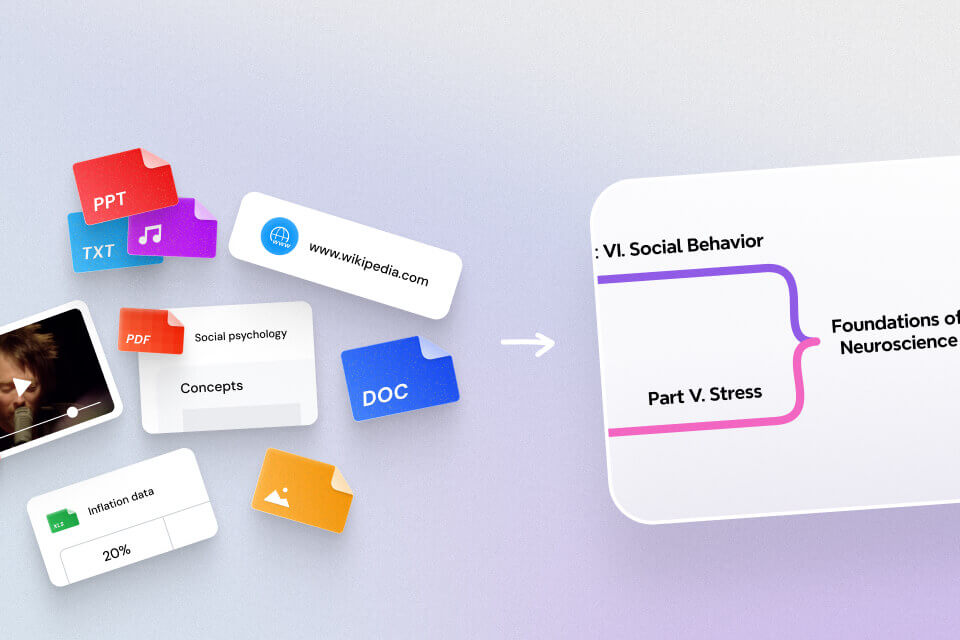


If you have ever opened a long PDF a few days before an exam and felt instantly behind, you are definitely not alone. For most students, the issue is not effort. The issue is that the material is dense, long, and not built for revision.
You highlight lines, copy paragraphs, and still end up with notes that are hard to review under time pressure. The real goal is not to read every page. The goal is to turn a PDF into a study guide you can actually use when it is time to revise.
In this guide, you will learn a practical workflow to turn long PDFs into better study notes with AI, so you can revise faster, focus on high-value concepts, and feel more confident before exams.
What a Good PDF Study Guide Should Include
Before jumping into tools, it helps to define what "good" looks like. A useful study guide should not just shorten text. It should make revision easier.
A strong PDF study guide includes:
- Core concepts and definitions you must remember
- Key arguments, formulas, and examples likely to appear in tests
- Priority markers that separate high-yield topics from low-value detail
- A fast-scan format you can review in minutes before practice or exams
If your notes are still long, flat, and hard to scan, they are not yet revision-ready.
Instantly turn your content into mind maps with AI
Get Started NowStep-by-Step: Turn a PDF into a Study Guide with Mapify
Step 1: Upload your PDF and set a clear study prompt
Start by uploading your PDF and adding a prompt tied to your study outcome.
- Weak prompt: "Summarize this PDF."
- Better prompt: "Turn this PDF into an exam-focused study guide. Extract core concepts, key definitions, likely testable points, and a prioritized revision list."
Mapify works well here because you can convert a PDF into a mind map in one step and shape the output with your prompt from the start.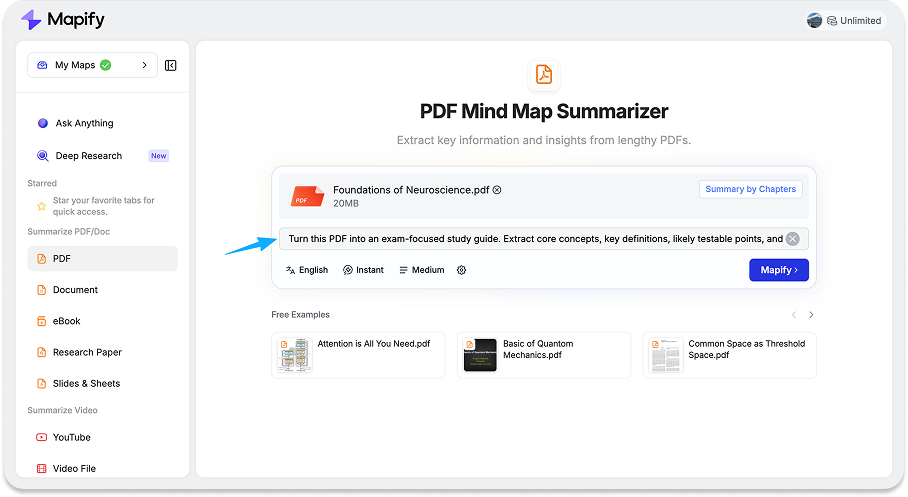
Step 2: Convert the PDF into a structured mind map
Once processed, organize the content into clear layers:
- Topic
- Subtopic
- Key idea
- Supporting detail
This is where revision starts to feel lighter. Instead of rereading linear pages, you can quickly see the structure of the subject and identify what to review first.
Step 3: Edit and mark high-priority revision points
This is the part many people skip, but it is often where the biggest gains happen.
Refine and tag:
- Must-memorize definitions
- High-frequency exam concepts
- Confusing areas to revisit
- Formula/framework branches
In Mapify, the generated mind map supports rich-text editing, so you can bold critical points and change colors to mark priority. This turns your notes into an active revision board instead of a static summary.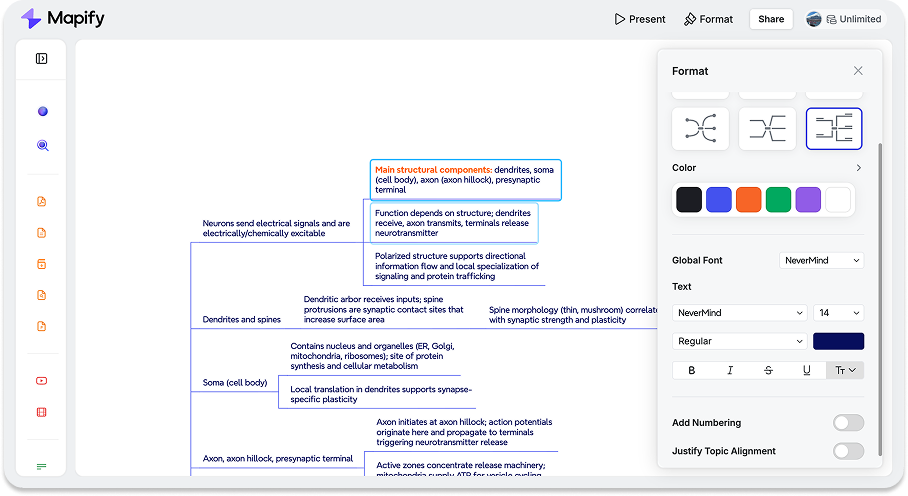
Step 4: Ask follow-up questions to fix unclear topics
Good revision is iterative. Use follow-up questions to close understanding gaps as you go.
Examples:
- "Explain this concept in simpler language."
- "What is the difference between A and B?"
- "Give one likely exam-style question for this section."
- "What mistakes do students make on this topic?"
Mapify's bottom-right chat keeps this simple. You can clarify weak points immediately without breaking your study flow.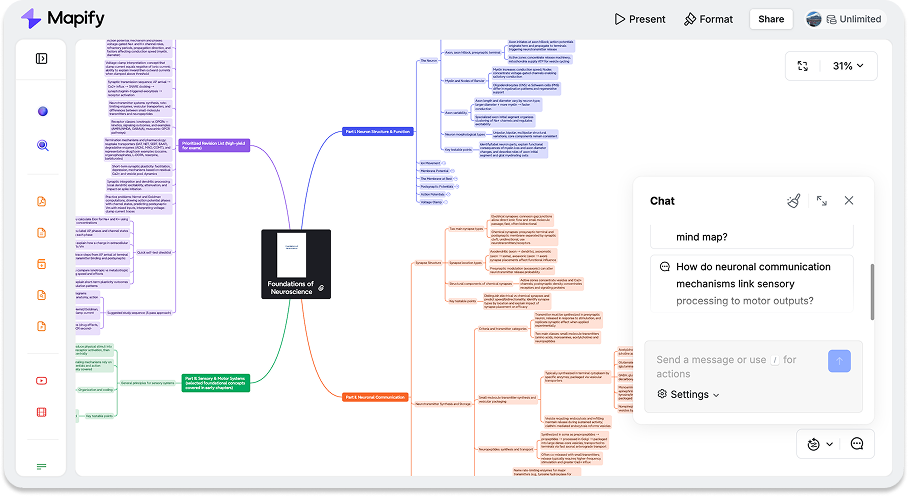
Step 5: Create a shorter exam revision version
After refinement, compress your full map into a short exam set:
- High-priority topics only
- One-line definitions
- Key formulas/rules
- Quick recall prompts
This short version is the one to use in your final revision window.
If You Need to Study Across Multiple PDFs
Most exam prep does not happen in one file. You may have lecture slides, textbook extracts, handouts, and reading packs.
If you summarize them separately, your notes usually stay fragmented. A better workflow is to combine them around one exam objective.
Mapify's Ask Anything section is useful here. You can work across multiple PDFs, summarize across files, and ask cross-document questions in one flow.
Useful prompts:
- "Combine these files into one study guide by topic."
- "Identify overlapping concepts across all PDFs."
- "List where the files explain the same concept differently."
- "Create one final exam checklist from all files."
This helps you build one unified revision structure instead of juggling disconnected notes.
Internal link placeholder: pdf-to-study-guide LP
Internal link placeholder: related learning / study content
Common Mistakes That Make AI Study Notes Less Useful
1. Summarizing without prioritizing
A summary alone is not a revision strategy. If every point looks equally important, it is still hard to know what to study first.
2. Keeping too much low-value detail
Students often keep everything "just in case." That increases cognitive load and slows recall.
3. Reading notes passively
If you only reread, retention stays low. Convert key sections into quick recall prompts and self-check questions.
4. Treating first output as final
First-pass AI output is a draft. Your edits, highlights, and follow-up questions are what make it exam-ready.
Common Questions Before Exams
How do I turn a long PDF into revision notes without losing key points?
Start with an exam-focused prompt, then organize by topic and priority. Keep high-yield concepts and remove low-value detail in a second-pass edit.
What prompt should I use to get exam-focused notes from a PDF?
Use outcome-driven prompts, such as: "Create an exam-ready study guide with core definitions, testable concepts, and prioritized revision points."
How can I prioritize chapters and topics for exam revision?
Tag topics by exam relevance and confidence level. Use a three-tier system: must-review, should-review, and optional.
Can I combine multiple PDFs into one study guide for the same exam?
Yes. If you have multiple PDFs for the same exam, go to the Ask Anything section and upload all related files there. This is usually better than separate summaries because it reduces duplicate notes and helps you build one coherent revision structure.
How do I use follow-up questions to fix weak topics before exams?
Ask targeted questions on unclear sections, request simpler explanations, and generate quick test questions to verify understanding.
Final Takeaway
Turning a PDF into a study guide is not only about making content shorter. It is about making revision clearer and more focused.
When you move from linear pages to structured notes, you spend less time sorting information and more time understanding, recalling, and applying it.
Let Mapify do the heavy lifting first, then refine the output into an exam-focused guide you can actually use under pressure.
Instantly turn your content into mind maps with AI
Get Started Now


.png)